Checkout on Amazon
Payment is handled by Amazon
Check return terms
Amazon or seller terms apply
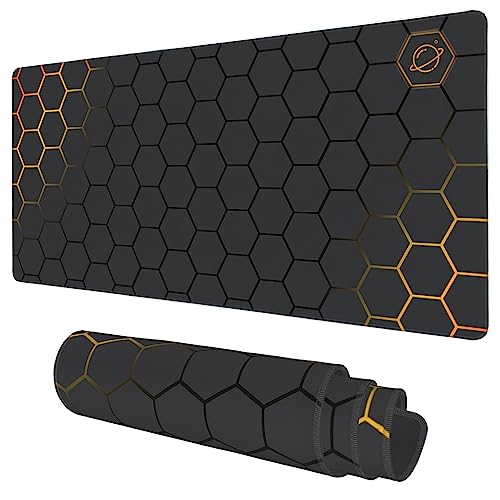
This product — GIM Wireless Charging RGB Gaming Mouse Pad 15W, LED Mouse Mat 800x300x4MM, 10 Light Modes Extra Large Mousepad Non-Slip Rubber Base Computer Keyboard Mat for Gaming, MacBook, PC, Laptop, Desk
Refer to the product listing for full specifications and care instructions. Check compatibility before purchase.
GIM RGB Wireless Charging Gaming Mouse Pad, 800x300mm, 10 Light Modes, Non-Slip Base
- 1Open AmazonView the live listing
- 2Check the priceConfirm price and delivery
- 3Complete checkoutFinish your order on Amazon
Price and availability may change on Amazon.
Key Takeaway
Transform your gaming setup with this wireless charging RGB gaming mouse pad, featuring a spacious design of 800x300x4MM and 10 vibrant LED light modes. Priced at just Check price on Amazon, it not only enhances your gaming experience but also keeps your devices charged wirelessly. Ideal for gamers and anyone looking to elevate their workspace, this mouse pad combines functionality with style, thanks to its non-slip rubber base.
Frequently Asked Questions
What is GIM Wireless Charging RGB Gaming Mouse Pad?
The GIM Wireless Charging RGB Gaming Mouse Pad is an extra-large mousepad measuring 800x300x4MM that features wireless charging capabilities. It includes 10 light modes for customizable RGB lighting, making it ideal for gamers and tech enthusiasts.
How much does GIM Wireless Charging RGB Gaming Mouse Pad cost?
The GIM Wireless Charging RGB Gaming Mouse Pad is priced at Check price on Amazon. This price offers excellent value for its features, including wireless charging and customizable lighting.
What are the key features of GIM Wireless Charging RGB Gaming Mouse Pad?
Key features of the GIM mouse pad include 15W wireless charging, 10 light modes, and a non-slip rubber base. Its large size of 800x300x4MM provides ample space for both mouse and keyboard.
Who is GIM Wireless Charging RGB Gaming Mouse Pad best for?
This mouse pad is best for gamers, PC users, and anyone who enjoys a stylish workspace. Its features cater to those who need both functionality and aesthetics in their setup.
How do I use/care for GIM Wireless Charging RGB Gaming Mouse Pad?
To use the GIM mouse pad, simply connect it to a power source for wireless charging and select your preferred light mode. For care, clean the surface with a damp cloth and avoid exposure to direct sunlight to maintain its quality.
Check Delivery
Confirm the estimate on Amazon
Amazon Checkout
Payment is handled by Amazon
Check Return Terms
Amazon or seller terms apply
Amazon Support
Use Amazon for order help